NEWGeoTraq v2 is here

Trips log themselves.
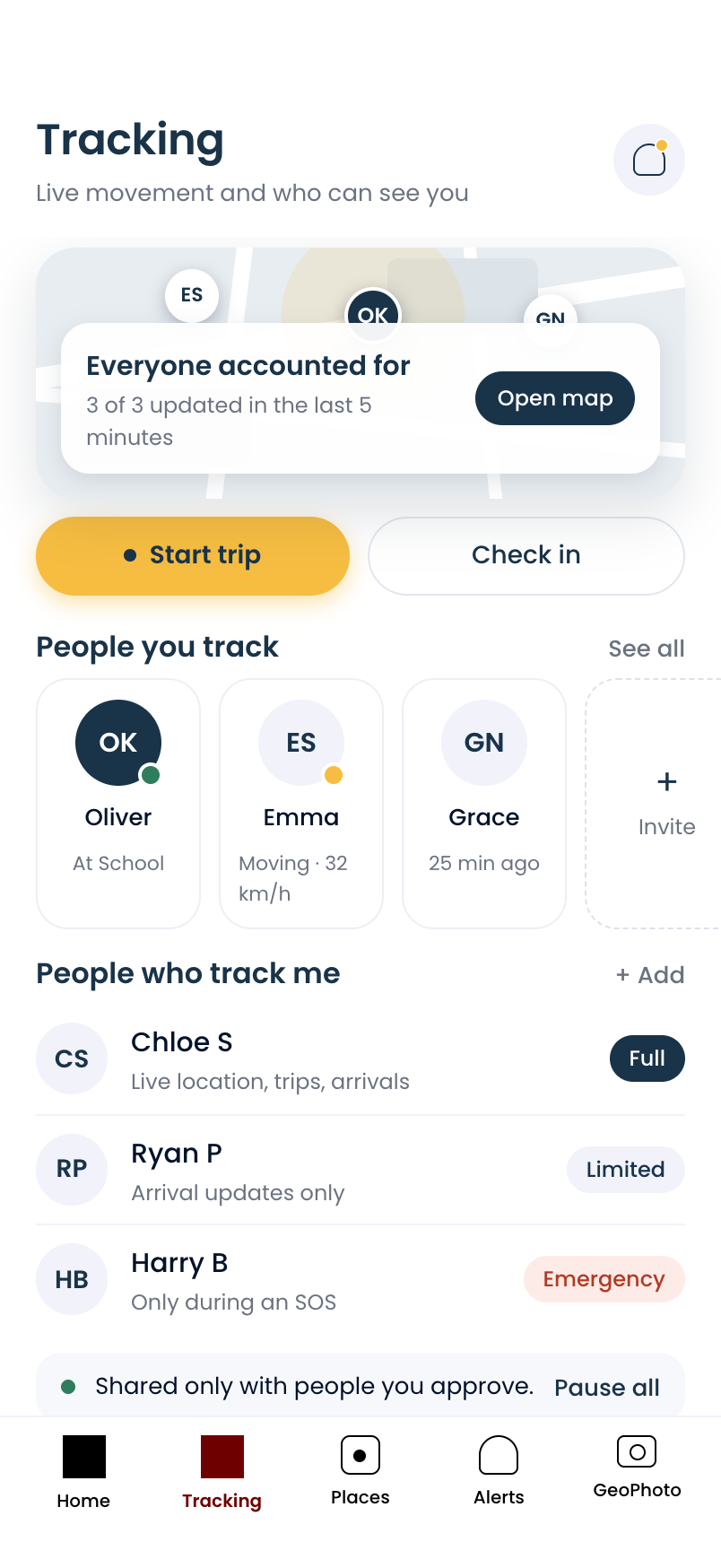
Everyone accounted for.

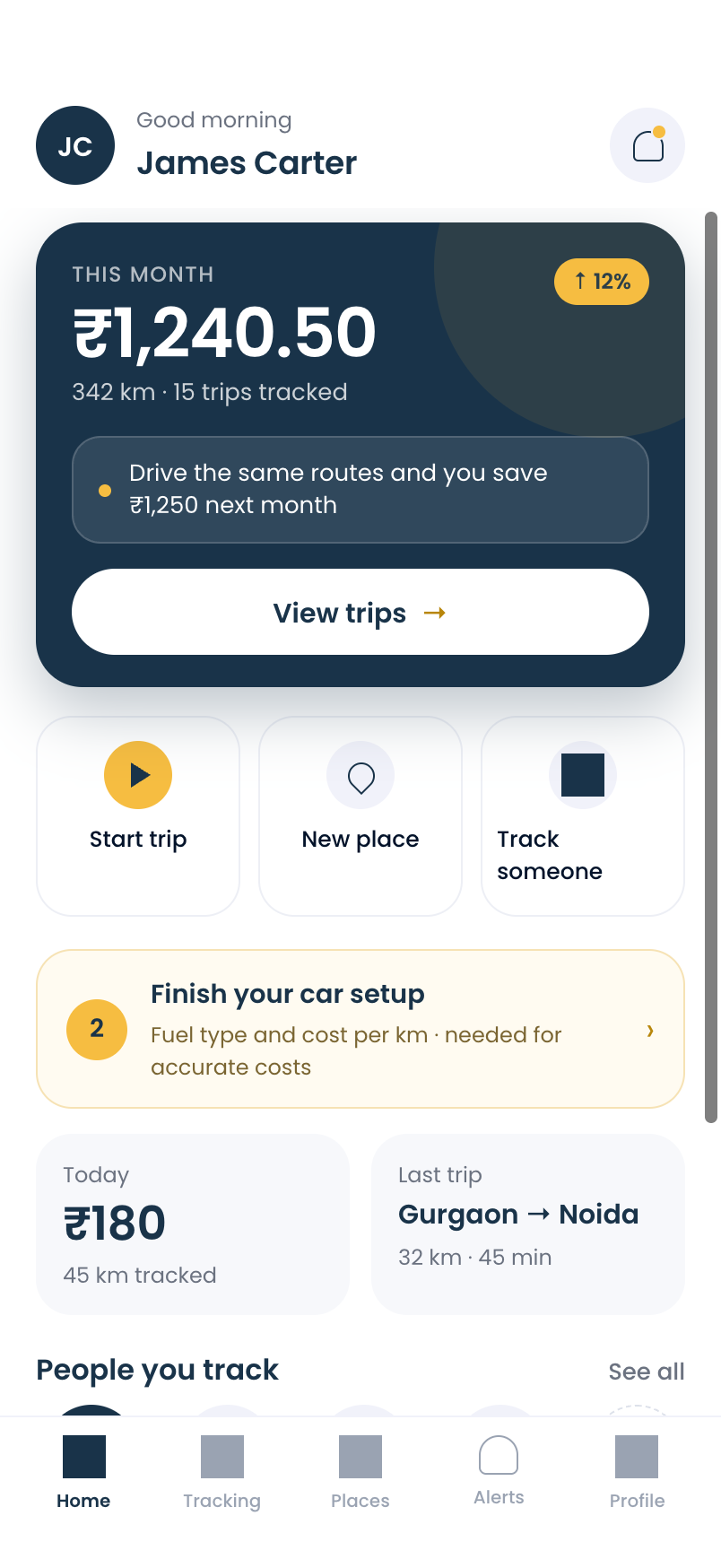
Start driving and GeoTraq captures the route, distance and expense. The people you care about sit on one live board, and you get one alert the moment they arrive or leave.

✓Nothing shared until they accept✓Only during approved hours✓Pause sharing anytime
GeoTraq live tracking screen
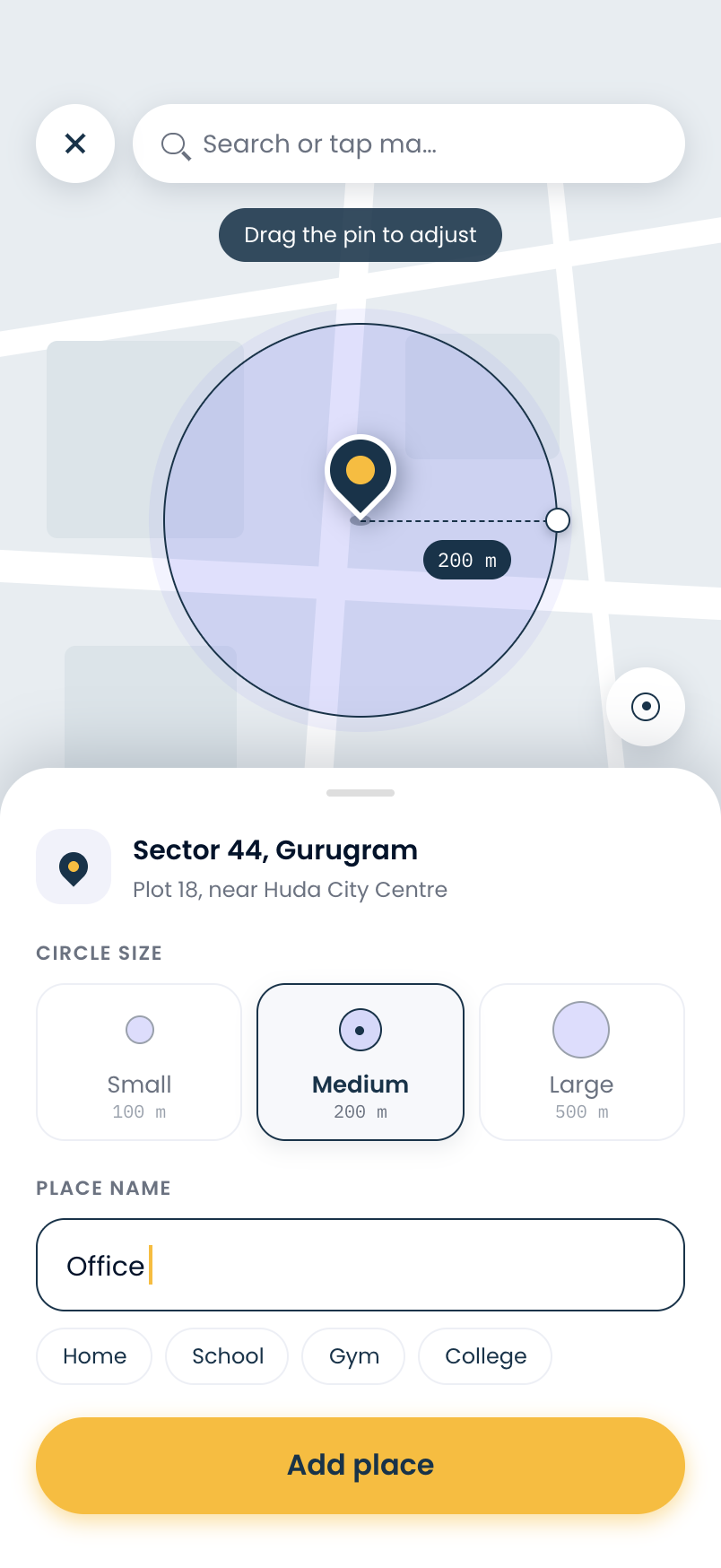
GeoTraq places screen
GeoTraq home screen

What GeoTraq sends you

OKOliver arrived at SchoolLive · updated 12s ago
₹Trip saved · ₹180Gurgaon → Noida · 32 km
ESEmma is moving32 km/h · updated just now
✓Sam approved your requestMon–Fri · 08:00–16:00
DWDaniel reached Home7:44 PM · 31 min after leaving QicApp
OKOliver arrived at SchoolLive · updated 12s ago
₹Trip saved · ₹180Gurgaon → Noida · 32 km
ESEmma is moving32 km/h · updated just now
✓Sam approved your requestMon–Fri · 08:00–16:00
DWDaniel reached Home7:44 PM · 31 min after leaving QicApp
OKOliver arrived at SchoolLive · updated 12s ago
₹Trip saved · ₹180Gurgaon → Noida · 32 km
ESEmma is moving32 km/h · updated just now
✓Sam approved your requestMon–Fri · 08:00–16:00
DWDaniel reached Home7:44 PM · 31 min after leaving QicApp
OKOliver arrived at SchoolLive · updated 12s ago
₹Trip saved · ₹180Gurgaon → Noida · 32 km
ESEmma is moving32 km/h · updated just now
✓Sam approved your requestMon–Fri · 08:00–16:00
DWDaniel reached Home7:44 PM · 31 min after leaving QicApp
?Jack wants to see you on weekendsSat–Sun · 10:00–18:00
↑Daniel left Home11:13 AM · Was there 15 h 29 min
₹Work claim readySeptember · ₹18 / km
+Daniel added you to their placesYou’ll be alerted when you arrive
SHSophie is at homeUpdated 2 min ago
?Jack wants to see you on weekendsSat–Sun · 10:00–18:00
↑Daniel left Home11:13 AM · Was there 15 h 29 min
₹Work claim readySeptember · ₹18 / km
+Daniel added you to their placesYou’ll be alerted when you arrive
SHSophie is at homeUpdated 2 min ago
?Jack wants to see you on weekendsSat–Sun · 10:00–18:00
↑Daniel left Home11:13 AM · Was there 15 h 29 min
₹Work claim readySeptember · ₹18 / km
+Daniel added you to their placesYou’ll be alerted when you arrive
SHSophie is at homeUpdated 2 min ago
?Jack wants to see you on weekendsSat–Sun · 10:00–18:00
↑Daniel left Home11:13 AM · Was there 15 h 29 min
₹Work claim readySeptember · ₹18 / km
+Daniel added you to their placesYou’ll be alerted when you arrive
SHSophie is at homeUpdated 2 min ago

Why families use GeoTraq

Most worry is one question: did they get there?

GeoTraq answers it before you have to call, text or ask for a check-in.

8:12 AM

Kids

“Did Oliver make it to school?”

↓Oliver arrived at School8:09 AM · Live

6:40 PM

Partner

“Is Emma still on the road?”

ESEmma is moving32 km/h · updated just now

10:30 PM

Parents

“Did Mom get home okay?”

✓Grace reached Home10:18 PM · Was out 3 h 12 min

How to track your family

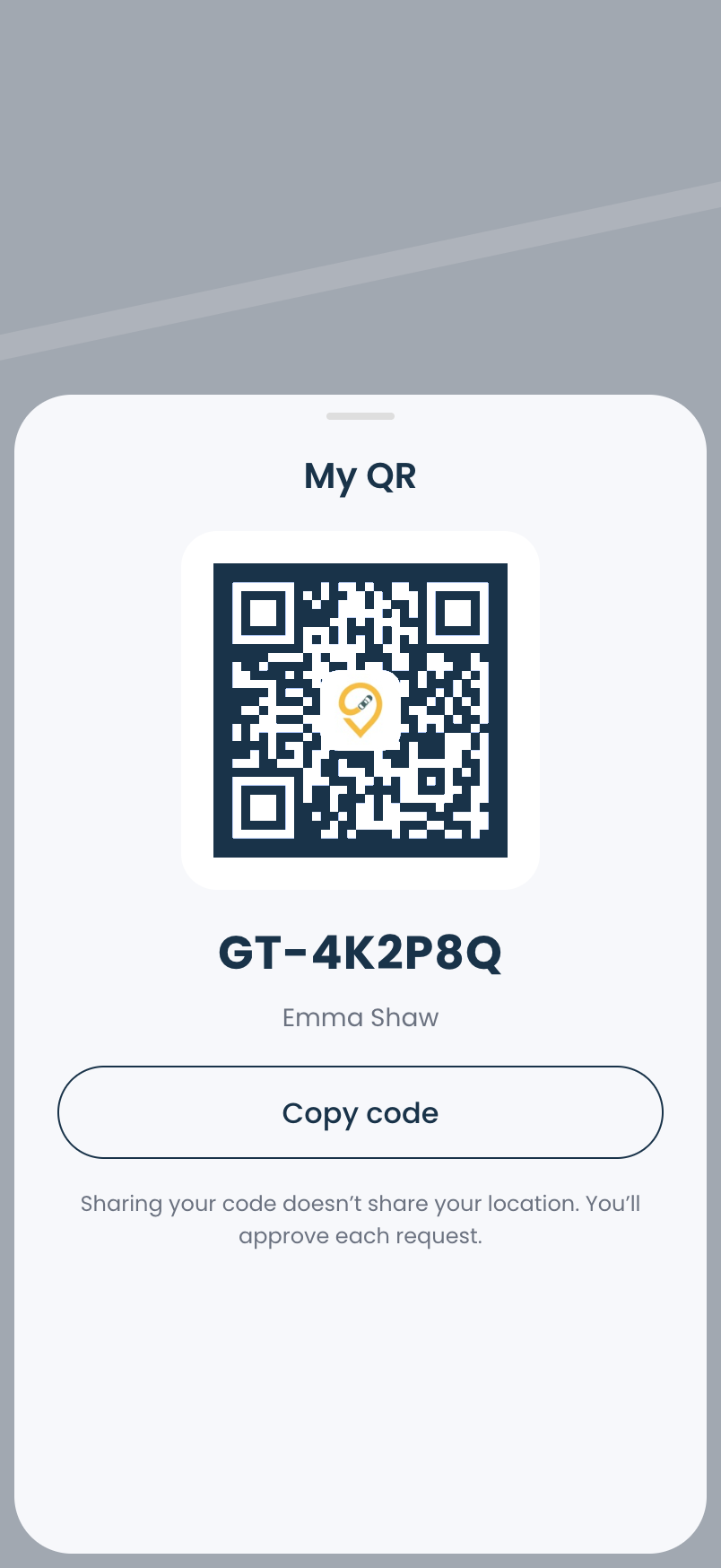
Four steps, and nothing is shared until they accept.

My QR screen in GeoTraq

Features

One app for the drive, and for the people waiting at the other end.

Pick a feature to see the problem it solves and how to use it in the app.

The problem

You drive for work and errands, but never know what the driving actually costs, or which trips you can claim.

How GeoTraq solves it

Every trip logged and priced, automatically.

GeoTraq records distance in the background, screen off, and prices each trip from your vehicle’s mileage and fuel price.

How to use it
  1. 1Add your vehicleProfile → VehiclesEnter its mileage and fuel price once. For an EV, use km/kWh and ₹/kWh.
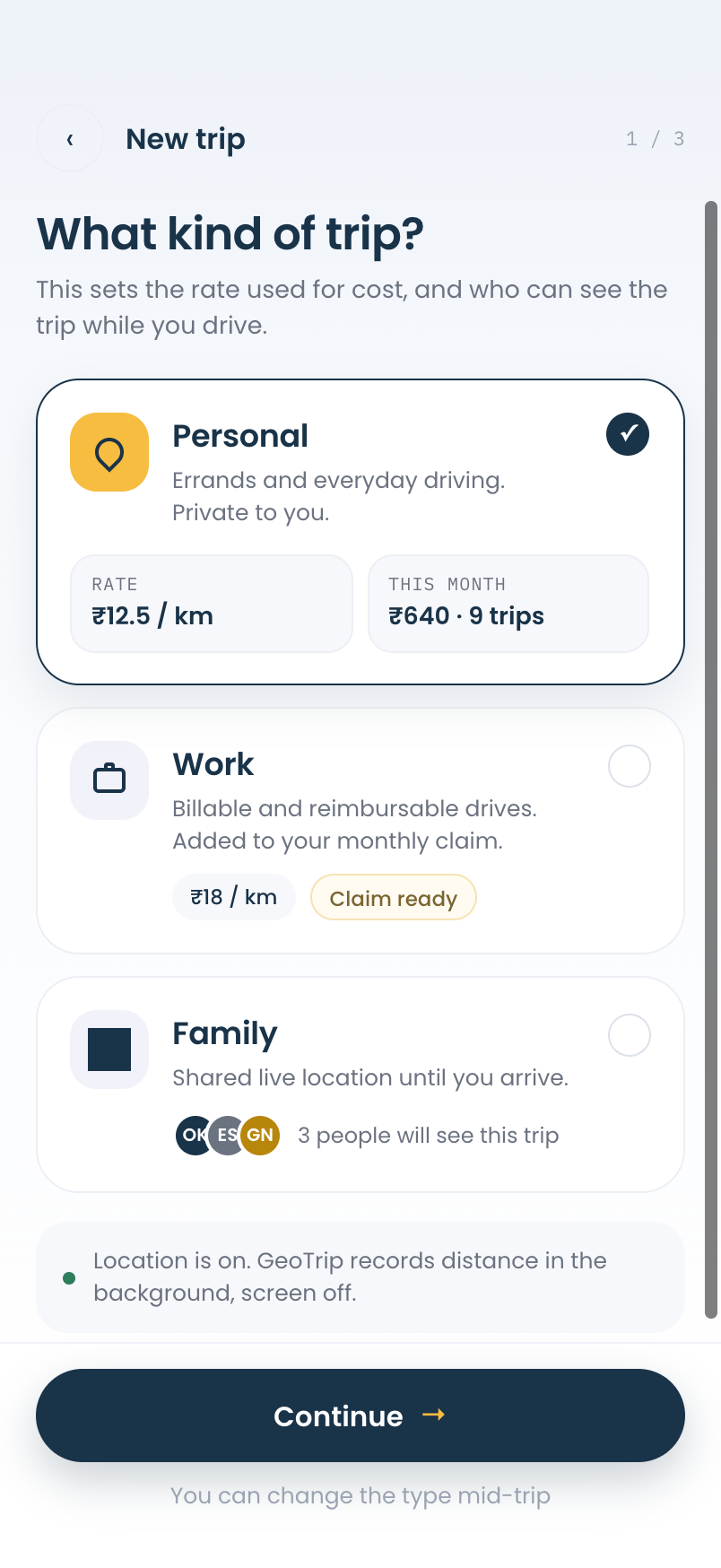
  2. 2Start a trip and pick a typeHome → Start tripPersonal, Work or Family. Each type has its own rate and its own visibility.
  3. 3See costs add upHomeThis month’s spend, distance and trips sit at the top, and work trips collect into a claim.
Choose trip type screen in GeoTraq

What kind of trip?

Personal. Errands and everyday driving.

Private to you. GeoTraq logs the route and distance, and prices it at your personal rate.

  • ✓₹12.5 / kmRate calculated from your vehicle’s fuel type and mileage. Adjust it anytime.
  • ✓Private to youNobody else sees a personal trip.
  • ✓This month at a glanceSpend, distance and trip count, plus a tip on what you’d save next month.
GeoTraq home with this month’s trip costs

Privacy

Your location is yours. You choose who sees it.

01

Nothing shared until they accept

Every tracking relationship starts with a request the other person approves.

02

Approved hours only

Adding hours needs approval. Removing hours stops tracking right away.

03

Pause for everyone

One switch pauses sharing with everyone, at any time.

04

Stale is never a place

After 10 minutes without an update, the board shows last seen instead of a place.

FAQ

Questions, answered.

How requests, hours and trip costs work in GeoTraq.

  • They can find it in Profile → My GT ID, or show you their QR code. You can also send a request by email.

Your next trip is already on its way.

Get GeoTraq on the App Store. Go Premium for smart route optimisation and unlimited history.

Download on the App Store
QR code to download GeoTraqScan with your iPhone camera
GeoTraq tracking